The whole job, in your hand
Real app, real numbers — on site
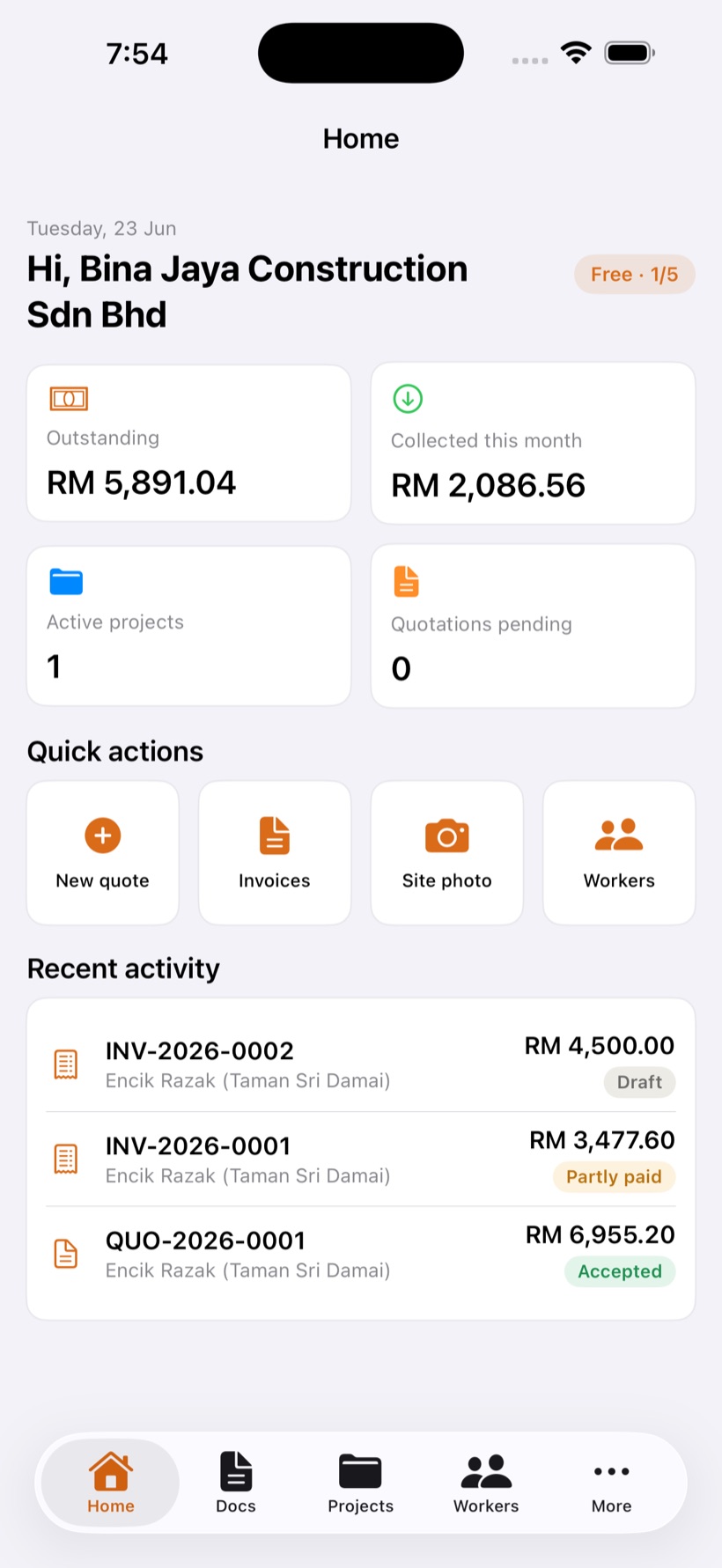
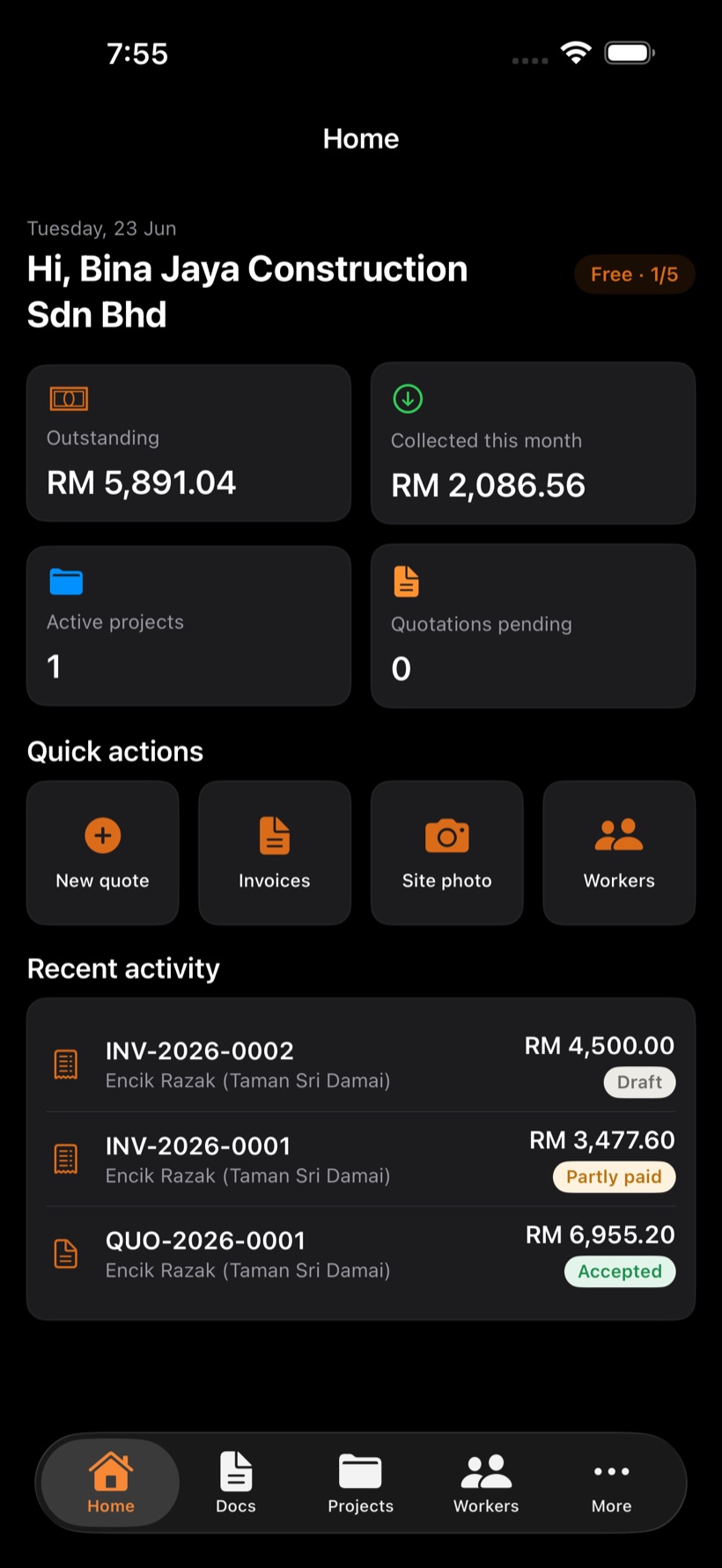
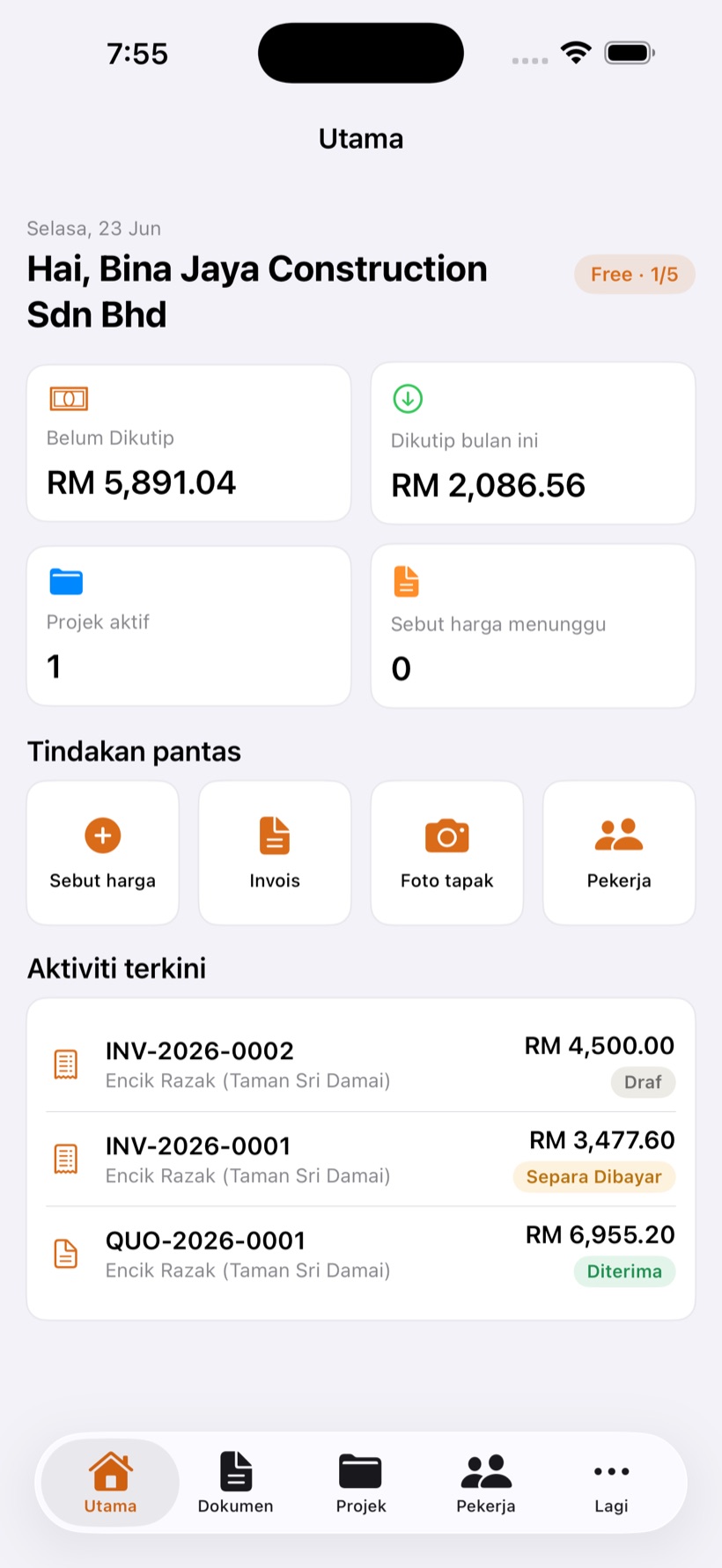
This is the actual MORTAR dashboard: outstanding, money collected this month, active projects and recent activity — the moment you open the app.

Features
MORTAR keeps the money side of every project in one app — quote, invoice, claim, photos, workers, expenses and margins. Built for the Malaysian construction site, it works offline and shares everything as a clean PDF.
The whole job, in your hand
This is the actual MORTAR dashboard: outstanding, money collected this month, active projects and recent activity — the moment you open the app.
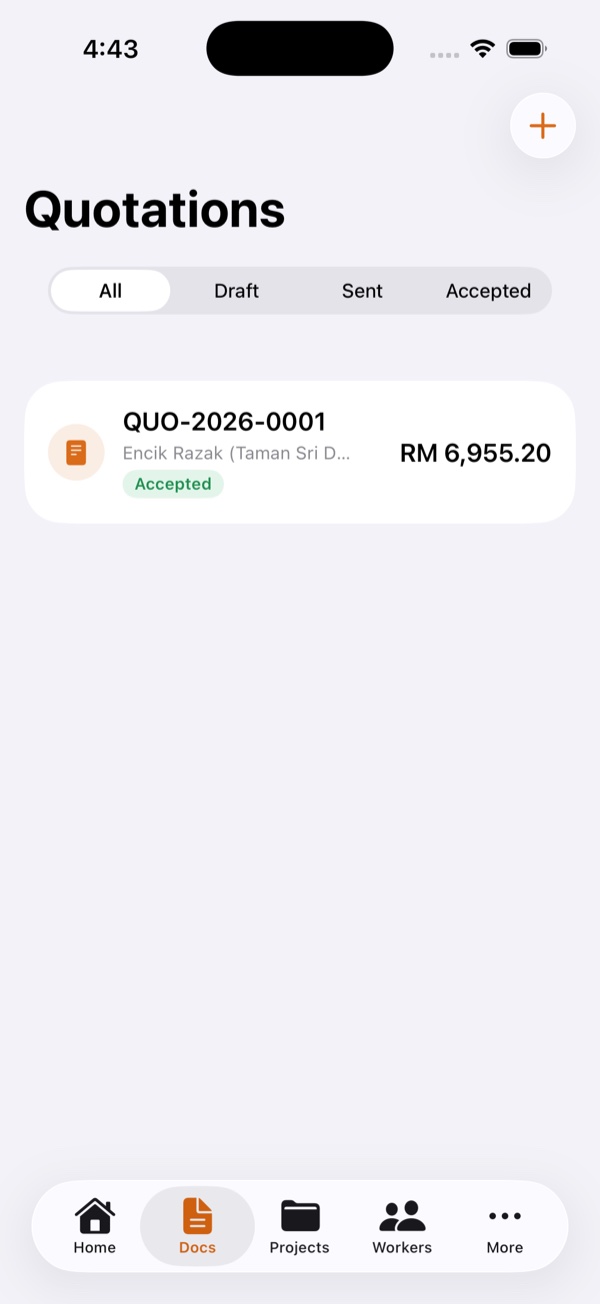
Build a professional quote in minutes with line items, quantities and totals calculated to the sen. Send it as a clean PDF over WhatsApp, then turn an accepted quote into a project and deposit invoice with one tap.
Raise invoices in seconds and record payments as they come in, so balances and aging are always up to date. A clear dashboard shows what's outstanding and how overdue it is. LHDN MyInvois e-Invoice support is on the roadmap so you stay compliant.
Raise cumulative progress claims with retention worked out correctly every time, so you never undercharge or double-count. Certify the agreed amount on site and convert it straight into a progress invoice.
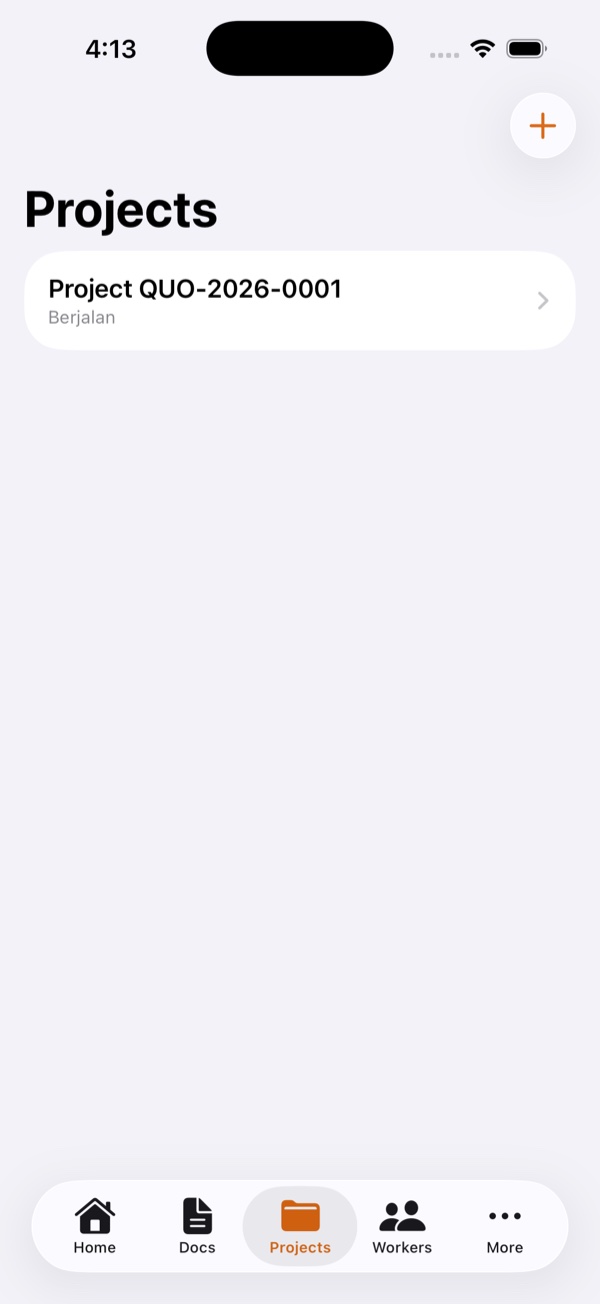
Keep a tidy photo gallery for every project, captured right from the app and watermarked with the project name, date and time. Document progress and defects so there's never an argument about what was done or when.
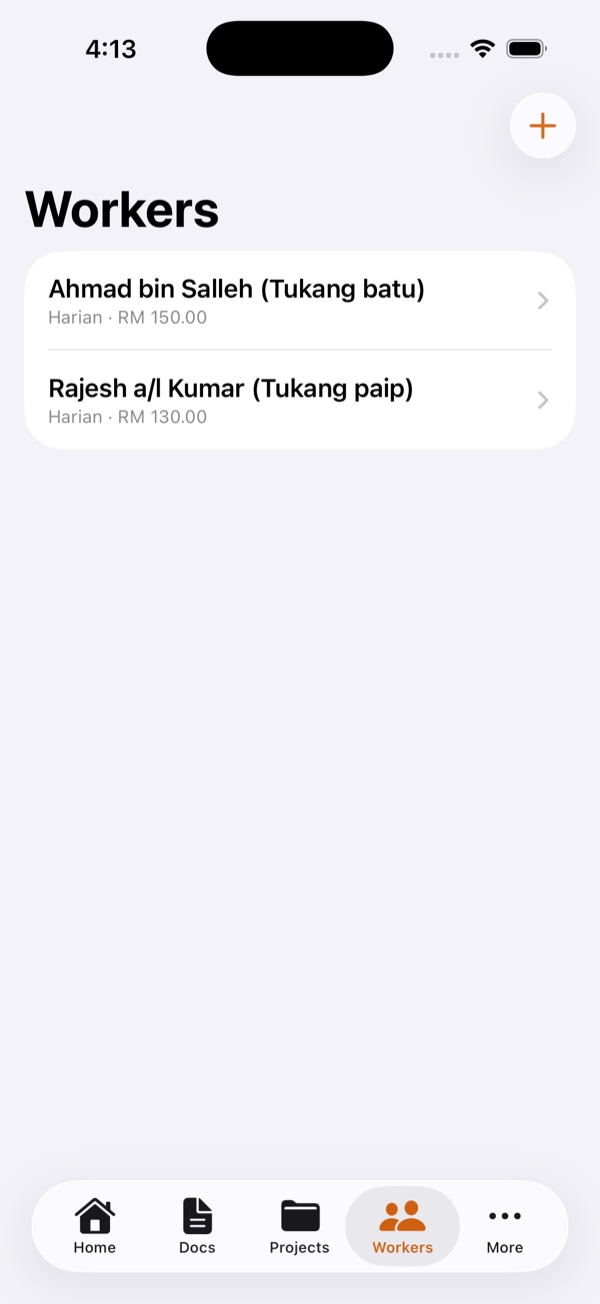
Mark daily attendance for your crew and get an estimated wage figure to help you cost a job, plus reminders before work permits expire. Please note: these are estimates only — MORTAR is not a statutory payroll system and does not calculate EPF/SOCSO.
Log spending by category and tag it to the right project, so you always know where the money went. Track material and site costs as they happen and see what each job is really costing you.
For each project, MORTAR adds up revenue, subtracts cost and shows your gross margin in green or red. Know which jobs make money before it's too late. Financials are role-gated, so only owners and admins see the numbers.
Toggle on a read-only link your client can open to follow progress and documents — no app or login needed. It is built to hide everything private: your costs, margins and worker details are never shown.
Keep your green card, permits and certificates in one document box with expiry reminders at 90, 60, 30 and 7 days, colour-coded green, yellow and red. Please note: this is a reminder tool only — it is not a CIDB API and does not verify or certify your status.
Everyone who works for you lives in one Crew list — no email needed. Add a person by name and phone and MORTAR creates a login you share over WhatsApp; the same person is also tracked for daily attendance. Adding a whole team? Add several at once and share every login in one place.
Built for the boots
Every core task works fully offline and syncs the moment you're back online — so the job never waits for a connection.
From the first quote to the final claim, MORTAR puts the money side of every project in your pocket. Join the early list and we'll tell you the day it's live.